Claude Usage Monitor
A macOS menu bar app that shows Claude usage in real time, making the current session and weekly limits readable at a glance.
Project overview
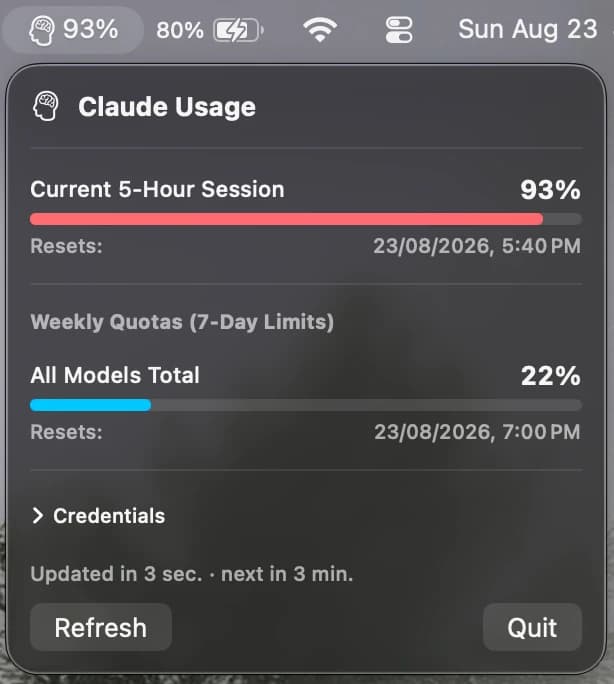
Claude keeps usage buried inside the app, several steps away from whatever you are working on. I built a small macOS app that sits in the menu bar and surfaces it directly: the current five hour session and the weekly quota, both updating in real time. Having the numbers in view changed how I work, because I can see how much room is left before starting something large instead of discovering a limit mid-task.
Challenges
I had not built for macOS before, so the first challenge was learning how menu bar apps are structured and what they are able to do. The second was the data. Finding where usage is exposed, working out how to derive the session and weekly figures from it, and keeping those numbers accurate as they refresh took most of the research.
Results
The app now runs continuously in the menu bar, showing session and weekly usage without opening anything. Seeing both limits together has made it easier to schedule heavier work around the reset times rather than running into a limit unexpectedly.